Ask for a smart card PIN with the Windows PIN dialog
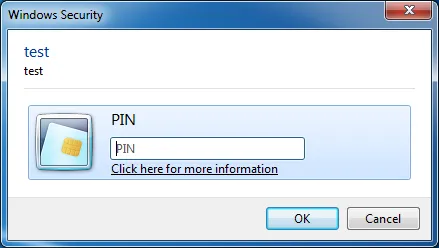
The Base Smart Card CSP asks for the PIN with the standard Windows credential dialog. Any application can make the same call and get back a PIN that the card has already verified.
Reverse engineering
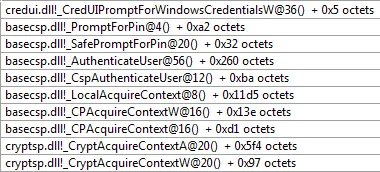
To ask for the PIN, BaseCSP calls CredUIPromptForWindowsCredentials with a KERB_CERTIFICATE_LOGON buffer and CREDUIWIN_IN_CRED_ONLY.
DWORD WINAPI CredUIPromptForWindowsCredentials(
    __in_opt     PCREDUI_INFO pUiInfo,
    __in         DWORD dwAuthError,
    __inout      ULONG *pulAuthPackage,
    __in_opt     LPCVOID pvInAuthBuffer,
    __in         ULONG ulInAuthBufferSize,
    __out        LPVOID *ppvOutAuthBuffer,
    __out        ULONG *pulOutAuthBufferSize,
    __inout_opt  BOOL *pfSave,
    __in         DWORD dwFlags
);
Arguments (in order)
- A
PCREDUI_INFOwith the labels (as documented) 00xffffeb34(same value on every call)- The
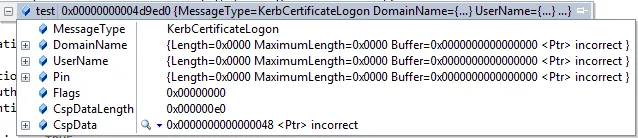
KERB_CERTIFICATE_LOGONbuffer (see the structures and the memory dump below) - The size of that buffer
- Output buffer
- Output buffer size
NULL0x20(CREDUIWIN_IN_CRED_ONLY)
Structures
KERB_CERTIFICATE_LOGON
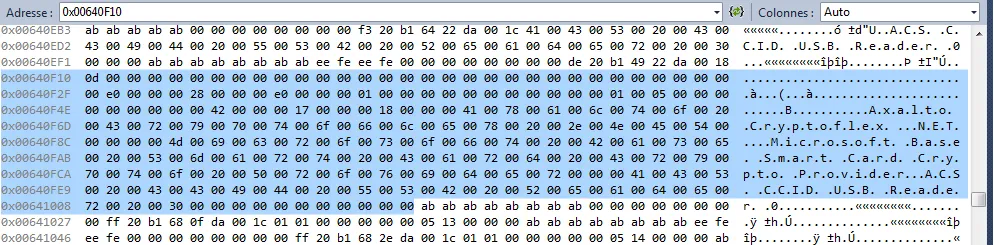
KERB_CERTIFICATE_LOGON memory layoutKERB_SMARTCARD_CSP_INFO
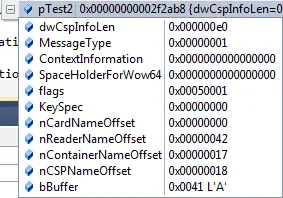
KERB_SMARTCARD_CSP_INFO memory layoutThe flags value changes at each card insertion. Here it is 0x50001.
Formula: (1 | dwActivityCount << 16) where dwActivityCount = (dwState >> 16) and dwState is from SCardStatus. First insertion: 0x10001. Second: 0x30001. Third: 0x50001…
Behavior
- Without
CREDUIWIN_IN_CRED_ONLY, the dialog shows a smart card removal error when the user submits the PIN. - The dialog checks the PIN with the card, so it only returns a valid PIN.
- The output buffer holds the PIN as ANSI in the
Pinfield, even thoughPinis aUNICODE_STRING.
Memory dump & call stack