Connector · Virtual smart card
EIDVirtual
Turn any USB key into a smart card recognized natively by Windows — no smart card reader, no middleware.
Version 2.1 · free download
EIDVirtual turns an ordinary removable device — a USB key, an SD card — into a smart card. Windows sees a smart card reader with a standard card inserted, and every application that works with smart cards works with it: logon via EIDAuthenticate or Active Directory, browsers, VPN clients, Outlook, EFS.
The emulated card is a GIDS card (Generic Identity Device Specification), the profile Windows supports natively: the minidriver that drives it ships with Windows, so there is no middleware to deploy. The certificates, private keys and PIN live in a single encrypted file bound to the device — a copy of that file on another key is not a card.
Detailed sequence, for screen readers and when animation is reduced:
- A USB key is inserted.
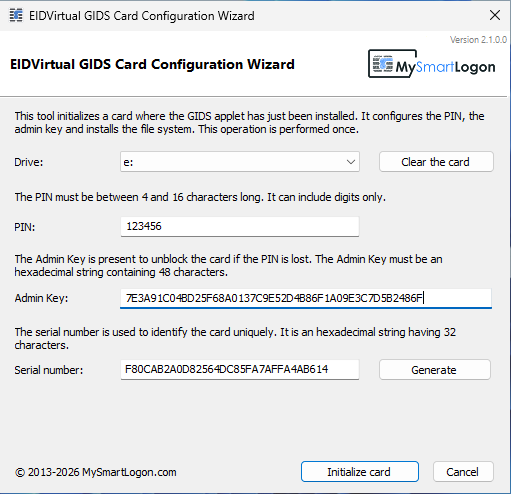
- The configuration wizard initializes a GIDS card on it.
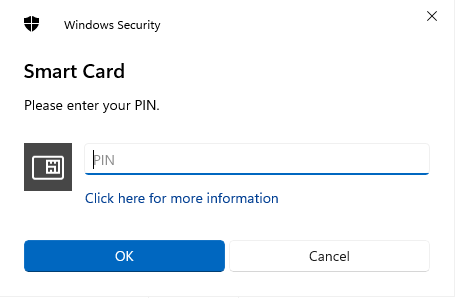
- A PIN is set to protect it.
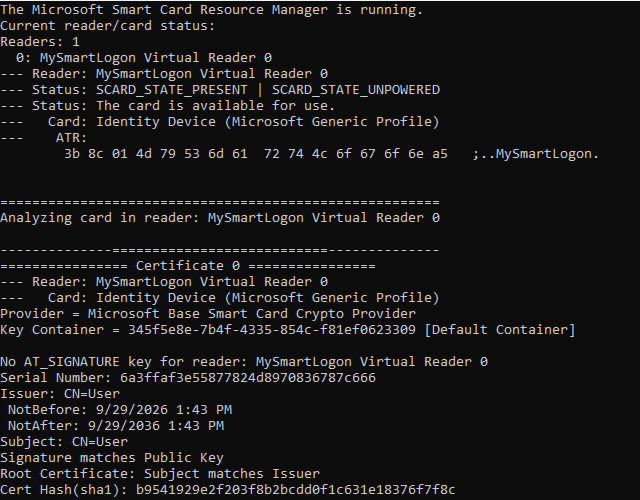
- Verified with certutil -scinfo: Windows sees the reader and an Identity Device (Microsoft Generic Profile) card.
- The same USB key is recognized identically on any other PC that has the EIDVirtual driver installed — no re-initialization needed.
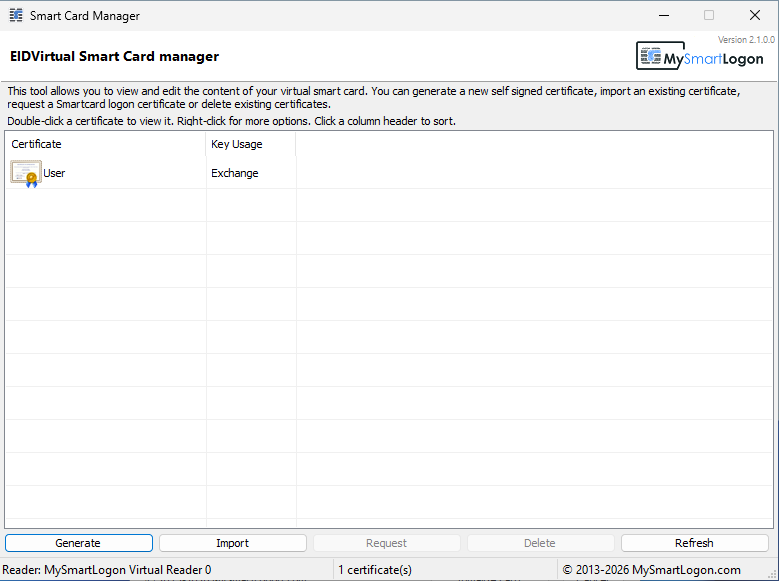
- From there, certificates can be generated, imported or requested with the Smart Card manager.
- It can be used for Windows smart card logon.
- It can be used for TLS client authentication.
- It can be used to sign emails (S/MIME) and to encrypt files (EFS).
From a blank USB key to a smart card logon, in about a minute:
- Initialize the card with the configuration wizard
- Generate a certificate in the Smart Card manager
- Check the card with
certutil -scinfo - Lock the session and sign in with the USB key and its PIN

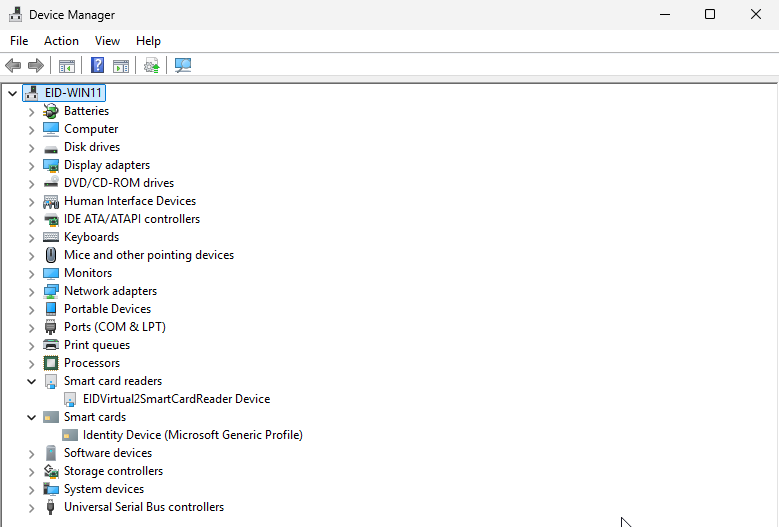
The card behaves as a physical GIDS card. While it is inserted, Windows propagates its certificates to the user's personal store, which makes them visible to browsers, Outlook, Office and every CryptoAPI / CNG application.
| Scenario | What you need |
|---|---|
| Active Directory smart card logon | A certificate enrolled with the manager's Request button, or any smart card logon template. |
| Standalone computer logon | EIDAuthenticate and any certificate of the card — a self-signed one is fine. |
| TLS client authentication | A certificate with the Client Authentication usage, trusted by the server (web, VPN, Wi-Fi EAP-TLS). |
| Email (S/MIME) and document signature | A certificate issued for the email address or the signer. |
| EFS file encryption | A certificate with the Encrypting File System usage. |
| Development and testing | Nothing else: test smart card applications and PKI scenarios without buying hardware. |
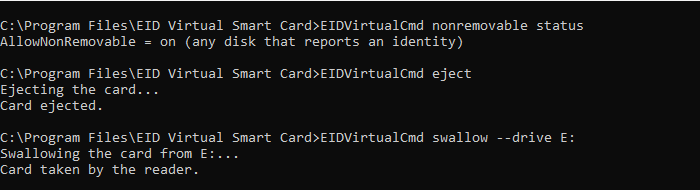
format, import, eject, swallow, nonremovable. Exit code 0 on success, for scripts.cd "C:\Program Files\EID Virtual Smart Card"
EIDVirtualCmd format --drive F: --pin 482915 --admin-key 7E3A91C0...
EIDVirtualCmd import --pfx C:\Deploy\user.pfx --password "..." --pin 482915Operating system (x64)
- Windows 11, 10, 8.1 — Windows Server 2025, 2022, 2019, 2016, 2012 R2
- Windows 7 SP1, 8 — Windows Server 2008 R2, 2012 (UMDF 1 compatibility driver, installed automatically)
- Administrator rights to install; none to use the card
Storage device
- A USB key or memory card, formatted FAT32, exFAT or NTFS
- It must report an identity (vendor, product, serial number) — almost every USB key does
- Removable media or USB bus; fixed disks only with
EIDVirtualCmd nonremovable on
The card runs in the driver, not in your applications
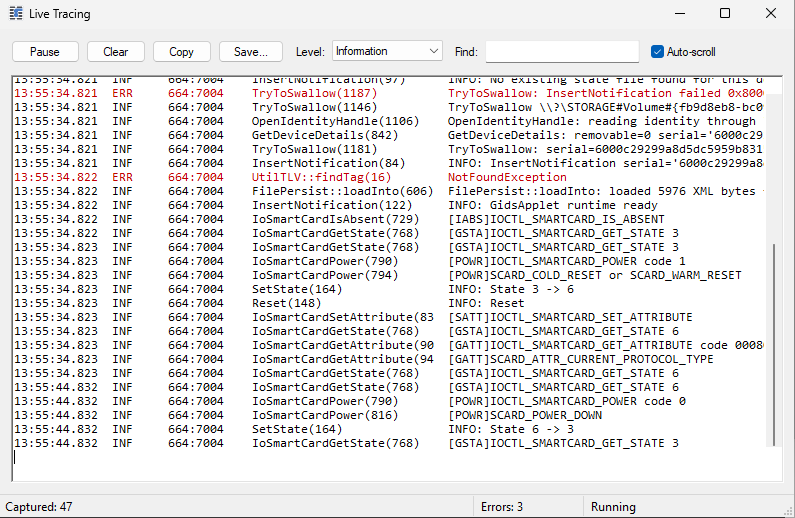
EIDVirtual emulates the reader, and the card inside it. Applications load the Windows GIDS minidriver and exchange APDUs with the card exactly as with a physical one; the card logic — PIN verification, private key operations — runs in an isolated UMDF driver host process. A defect in the driver can at worst stop that process, never the system.
The card is a single file, bound to its device
The whole card — file system, key containers, PIN and try counter, admin key — is compressed and encrypted with AES-256-GCM into EIDVirtual2.bin, at the root of the USB key. The key is derived from the identity of the physical device each time it is plugged in, and is never written anywhere: a copy of the file on another key does not decrypt, and any tampering is detected by the GCM tag.
| Threat | Protection | Limit |
|---|---|---|
| Copy of the card to another device | Device-bound AES-256-GCM key | Someone able to reproduce the device identity and knowing the product secret could decrypt the file. |
| Use of a stolen key | PIN verified by the card, 3 attempts | A saved copy of the file restores the attempts — choose long PINs. |
| Key theft by an application | Keys processed in the isolated driver host; applications only exchange APDUs | An administrator of the computer can read that process's memory. |
| Tampering with the card file | GCM authentication tag | A tampered file is refused: the card is lost, not altered. |
| Card on an internal disk | Removable devices only by default | AllowNonRemovable lifts the restriction. |